|
Release |
https://systemaxcorp.atlassian.net/projects/RES/versions/10011 |
|
Date |
|
|
Version |
2025.03 |
|
Description |
This update includes the majority of the recommended changes from the DSMB meeting in October of 2024, as well as some major changes to CrossIQ and the underlying framework of how participants are enrolled in studies (including allowing them to re-enroll in certain studies). |
New Features
-
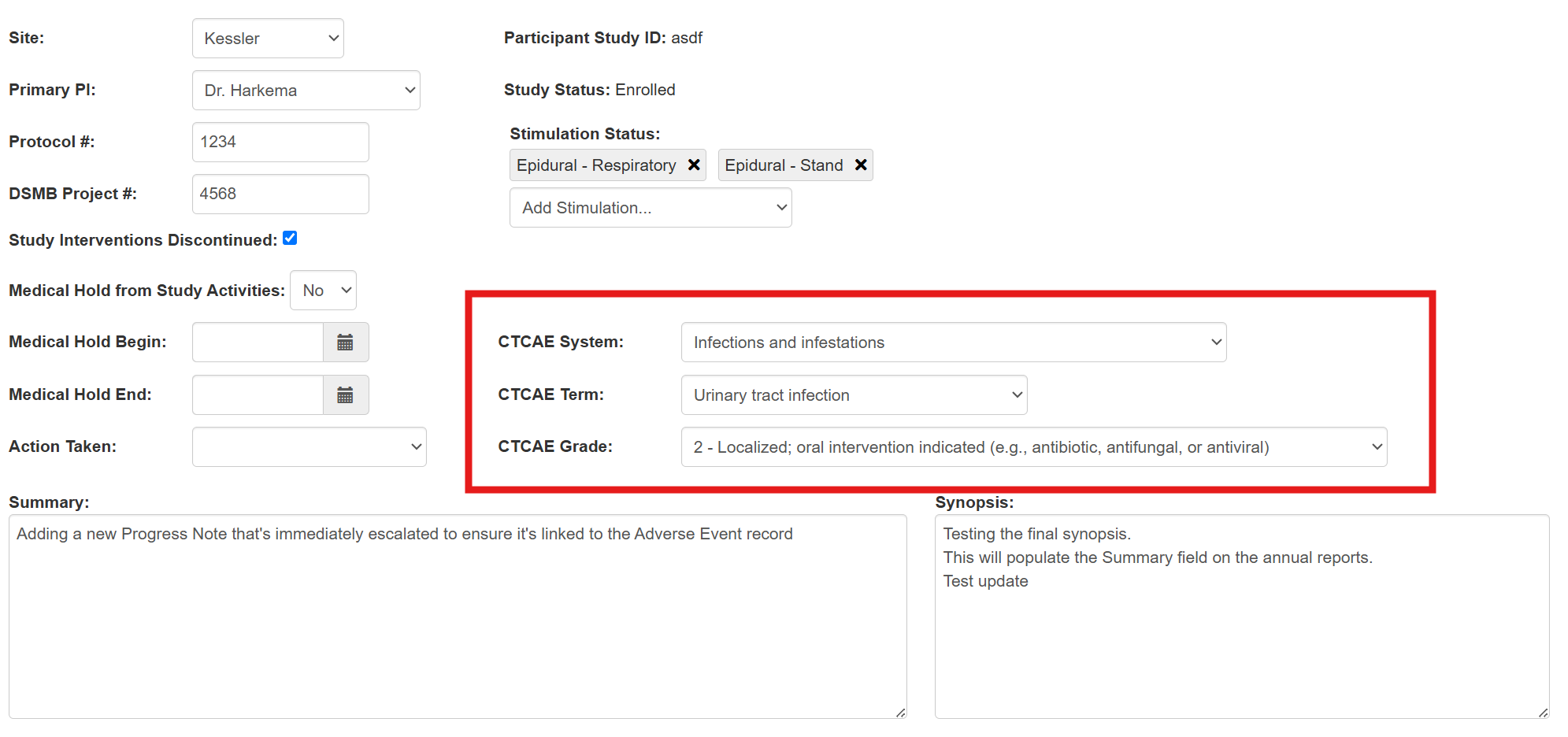
Added the CTCAE System, Term, and Grade to the adverse event screen. These fields are required before the adverse event can be sent for review. If populated, they will be included in the Adverse Event Summary Reports that are generated (in both the chart and summary narrative formats).
-
Allow users to re-enroll in a study
-
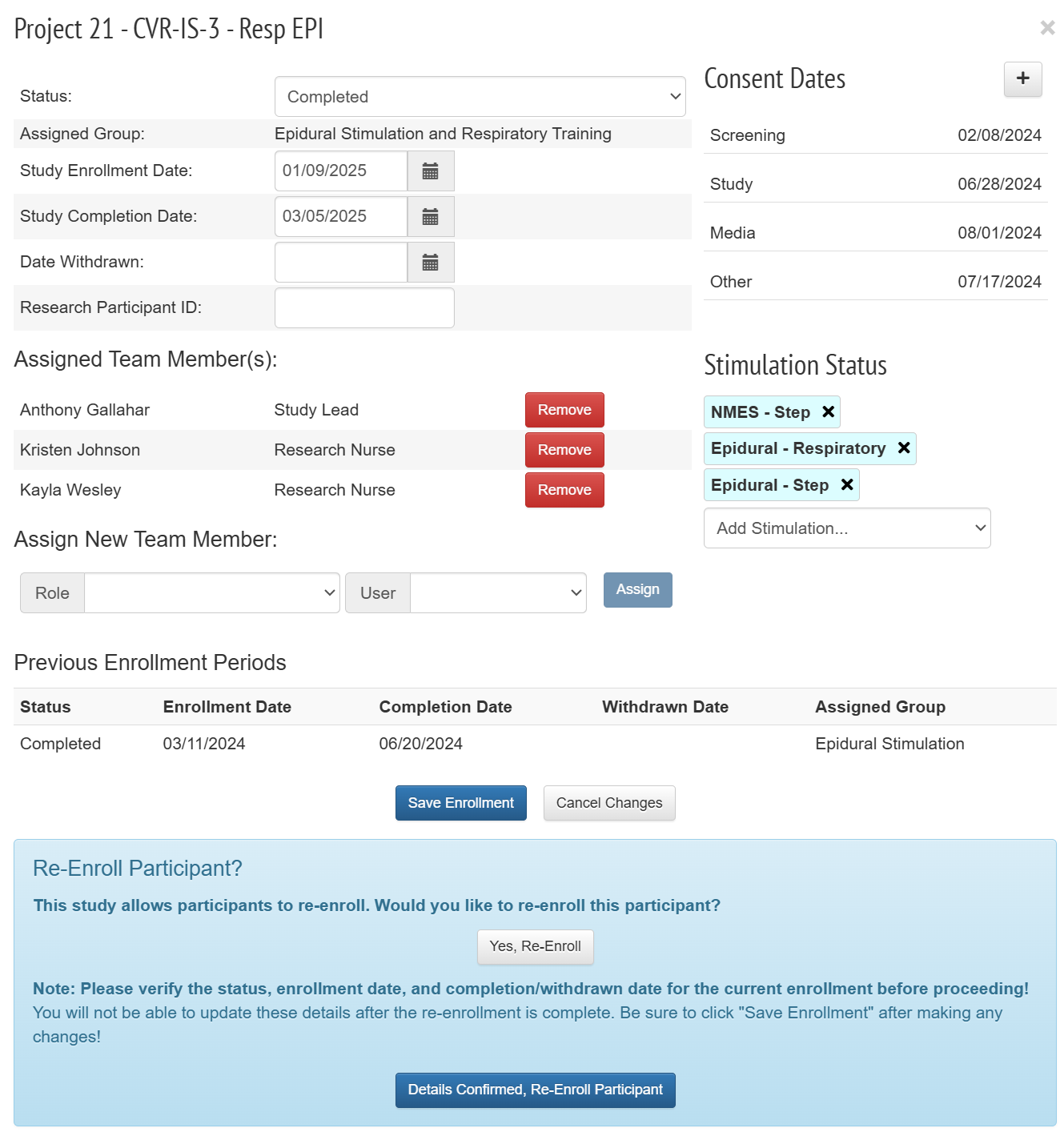
StudyLINQ now has the ability to allow users to re-enroll in a study (provided the study allows for that). Users can be automatically placed into a specific group upon re-enrollment, or they can be randomized into another study group. This will be established ahead of time as the study is built within the system.
-
The re-enrollment option will display on the Patient Registration page when viewing the details of that particular study:
-
Improvements to existing features
-
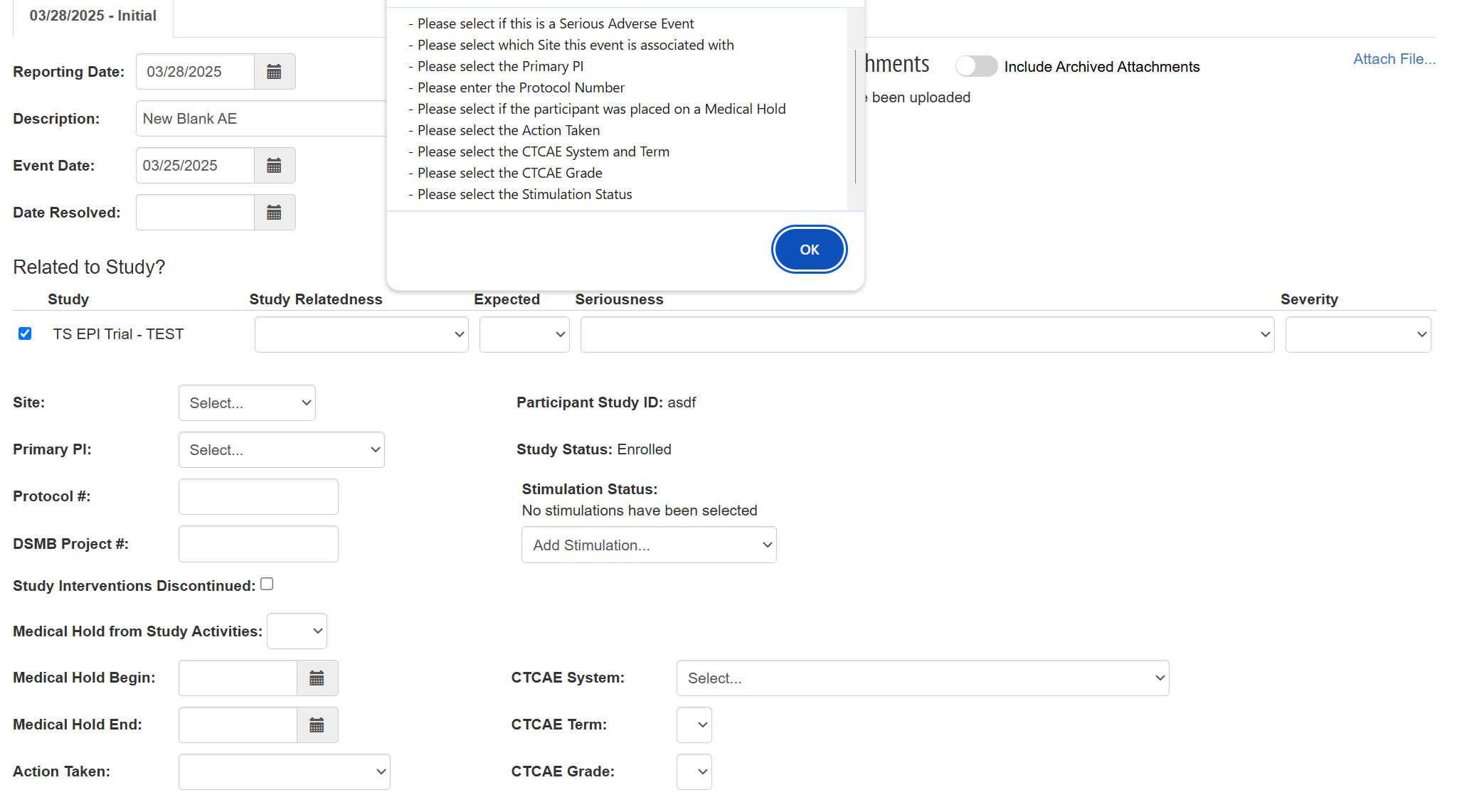
Additional required fields on Adverse Events:
-
Whether or not the adverse event is a serious adverse event.
-
Whether or not the participant was placed on a medical hold.
-
The action that was taken.
-
-
Allow anyone to add comments on an adverse event, even if the event report has been fully signed.
-
Adverse Event Dashboard - Clearer status descriptions
-
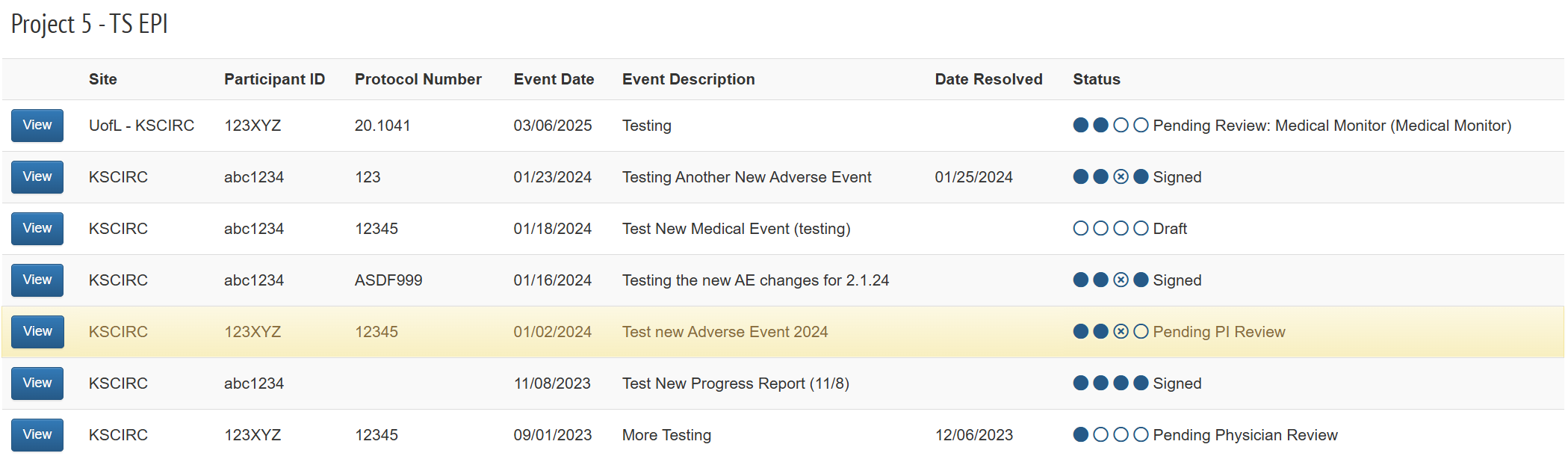
We’ve added an icon to the status column on the Adverse Event Dashboard to make it clearer where each adverse event report is in the process. The status values are:
-
Draft -or- Additional Changes Needed
-
Pending Physician Review
-
{optional} Pending Review (Medical Monitor)
-
If the adverse event report does not require a Medical Monitor review, that circle will have an “X” in it instead of being filled in.
-
-
Pending PI Review
-
Signed
-
-