
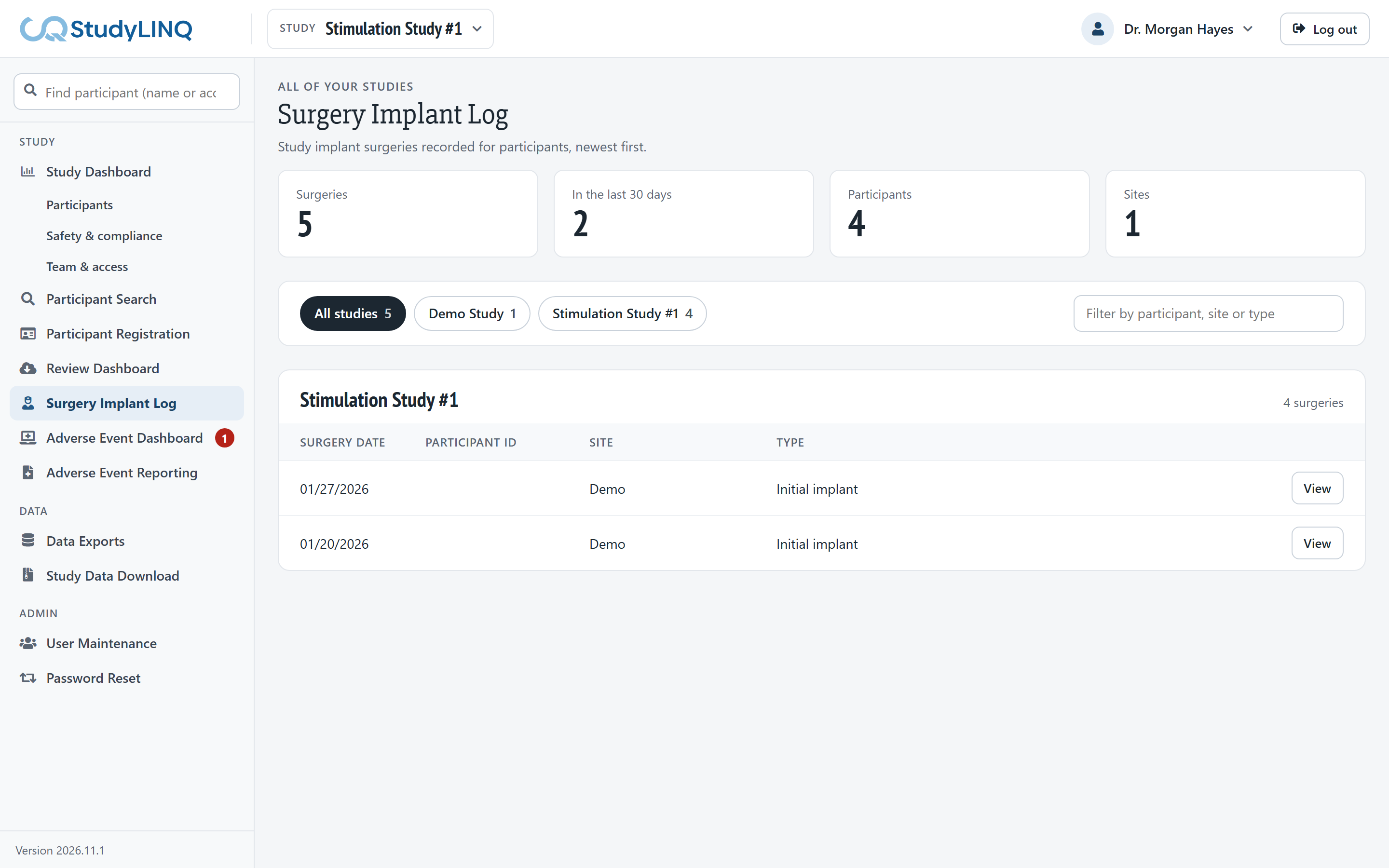
For users with Surgery Log access. Click Surgery Implant Log in the side menu. It lists study implant surgeries in all of your studies, newest first.
-
Click All studies or a study's button to show one study.
-
Type in Filter surgeries to find a participant, site or type.
-
Click View to open a surgery.
Viewing a surgery
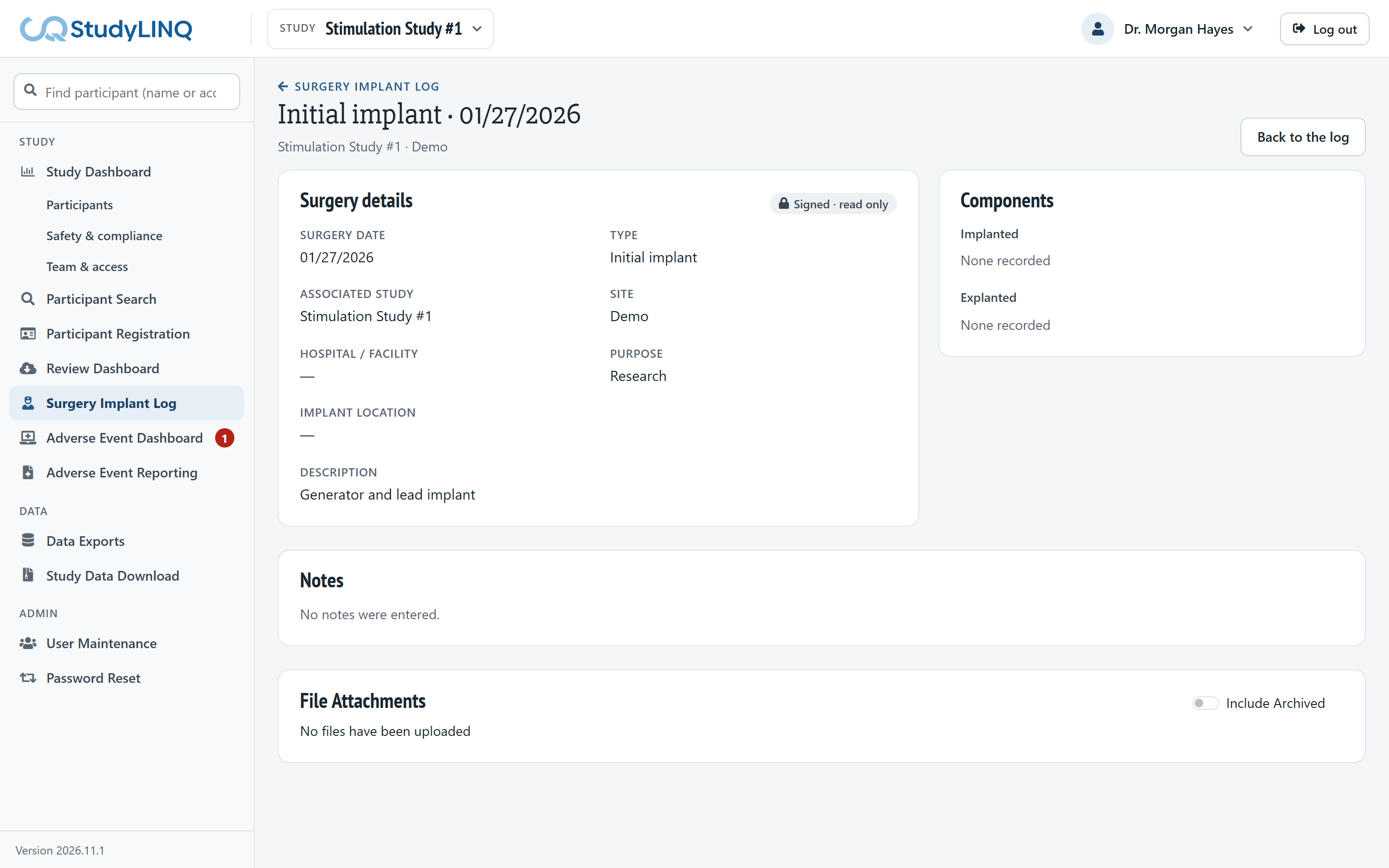
The surgery page shows Surgery details, Components (implanted and explanted) and Notes. Click Back to the log to return to the list.
Recording a surgery
Surgeries are recorded from the participant's study enrollment. See Participant Registration > Recording a study implant surgery.